Find any product on the shelf in seconds.
Spotlight turns a wall of look-alike boxes into an instant answer. Search or filter, tap a product, and see exactly where it sits — plus what it is and what it does.
Works offline on the floor — no signal required.
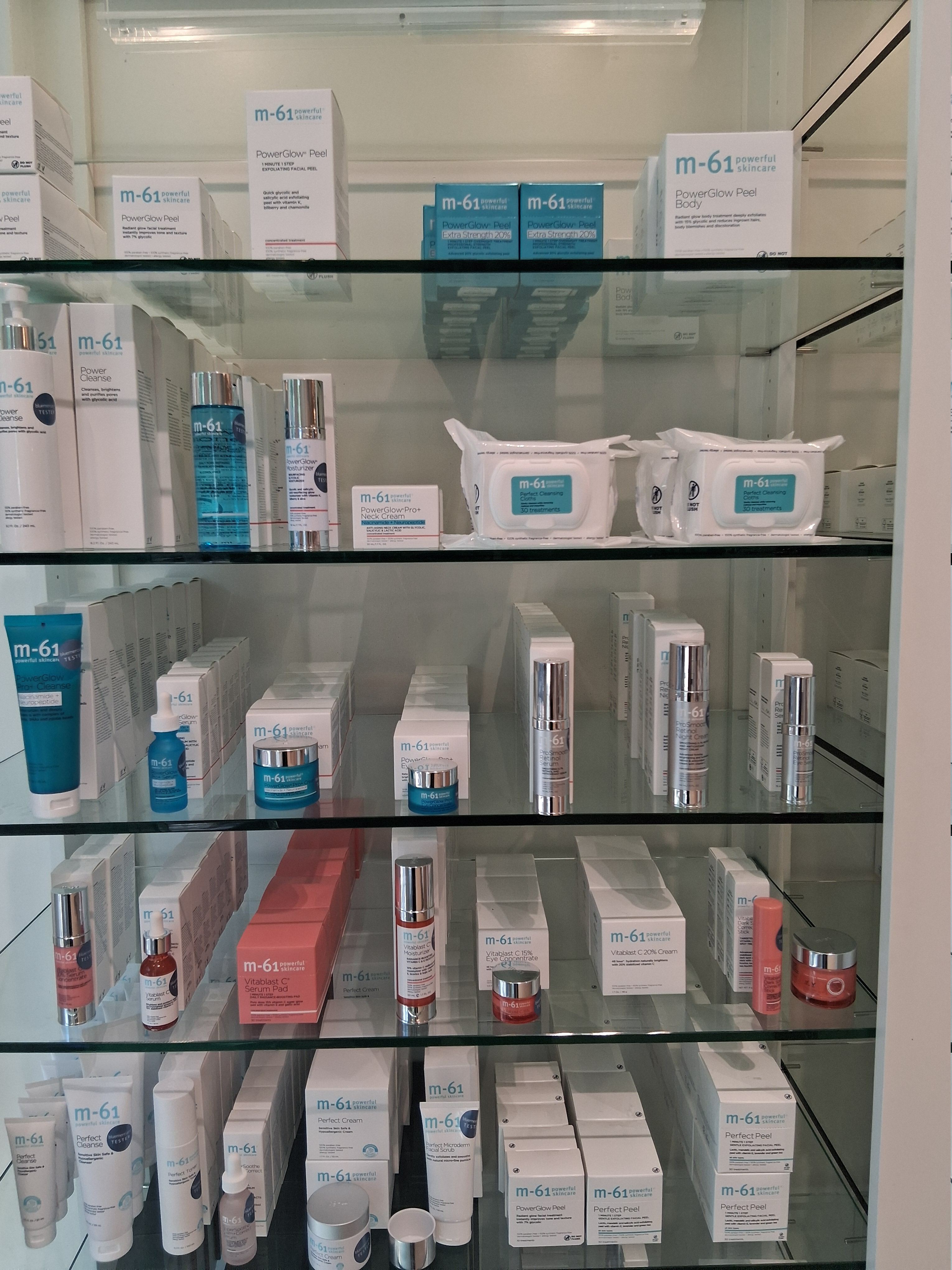
Everything you need to point a customer to the right box.
Designed mobile-first for staff who are standing at the shelf, not sitting at a desk.
Search & smart filters
Find by name, brand, product line, or the problem a customer is trying to solve. Multi-select filters narrow the wall fast.
Exact shelf location
Every product is pinned to its real position on the bay photo, so you walk straight to it instead of scanning shelves.
Know what it does
Tap any product for a clear detail view — what it is, who it's for, and the benefit it delivers, ready to share with a customer.
Phone-first & thumb-friendly
Full-screen filter drawer, bottom-sheet detail, and safe-area handling tuned for one-handed use on a phone.
Offline-resilient
The catalog lives on the device, so Spotlight keeps working in back rooms and dead zones where Wi-Fi doesn't reach.
Themes that fit the space
Switch between Blue, Clinical, Boutique, and High-Contrast looks — each verified for accessibility and bright-floor legibility.
From question to shelf in three steps.
No training required — anyone on the team can pick it up mid-shift.
Search or filter
Type what the customer asked for, or tap filters for brand, line, or concern. The list narrows instantly.
Pick the product
Open the detail view to confirm it's the right one and read the quick what-it-does summary.
Walk to the spot
Spotlight highlights its exact box on the shelf photo. Walk over, hand it to the customer, done.
Staff stop hunting and start helping.
What associates say after a few shifts with Spotlight.
Stop hunting. Start pointing.
Open Spotlight and find the exact spot on the shelf for any product in your bay.
Enter the app →